Rethinking the Transit experience through the lens of accessibility for older adults.
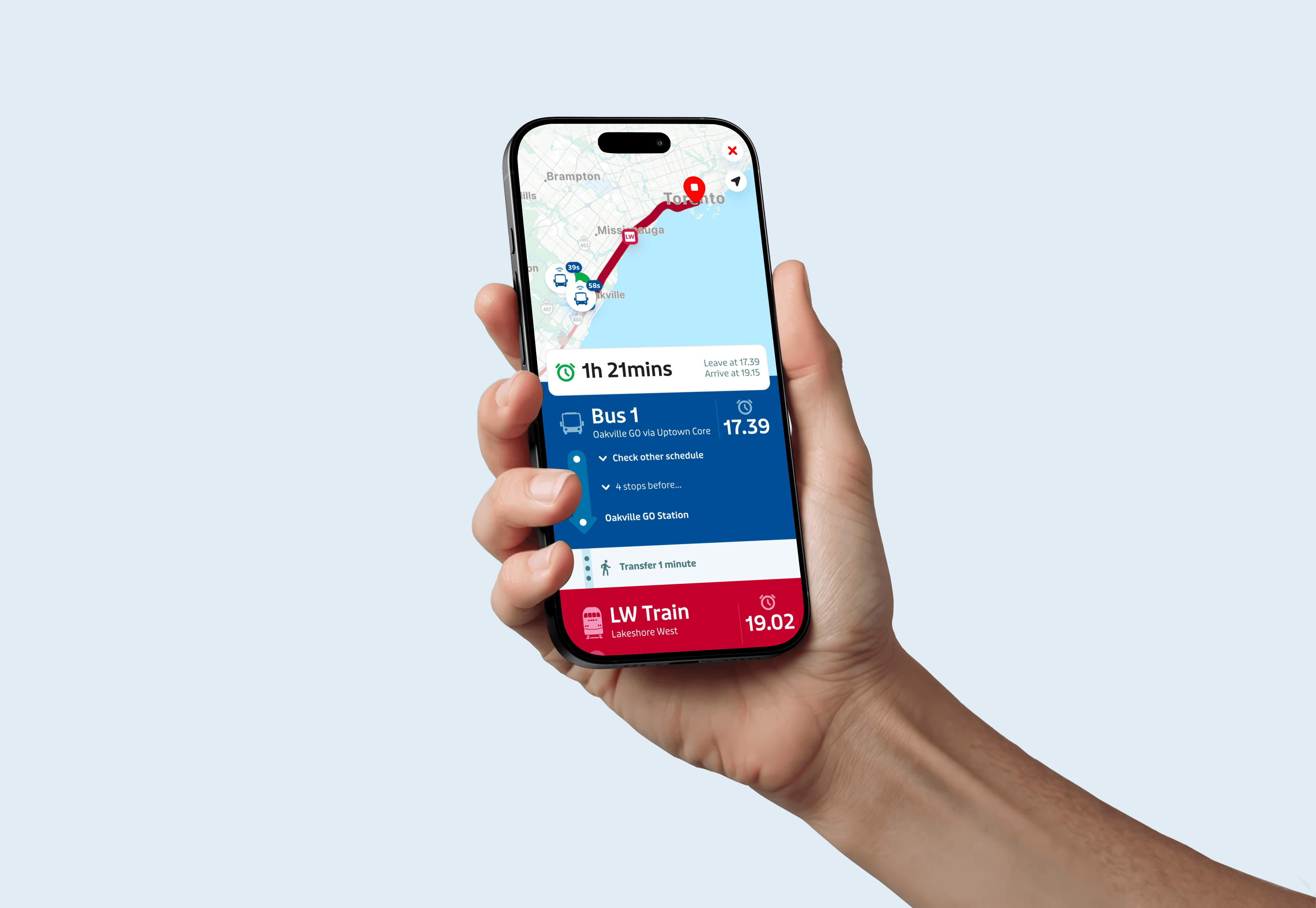
Simple mode aims to reclaim independence for older adults in their daily lives. It offers a simplified interface that highlights critical information and minimizes mistakes. Older adults can navigate more easily and make quicker, more confident decisions with a reduced cognitive load.
ROLE
UI/UX Designer
Product Design
DISCIPLINES
Interaction design
UX research
Prototyping
TOOLS
Figma
Illustrator
ProtoPie
TIMELINE
3 months
THE PROBLEM
The interaction-heavy interface makes evaluating multiple routes and quick decision making difficult with constraints
Despite its innovative graphics, usability testing and interviews revealed how different features make it difficult to process information and choose a route under constraints that affect their cognitive load.
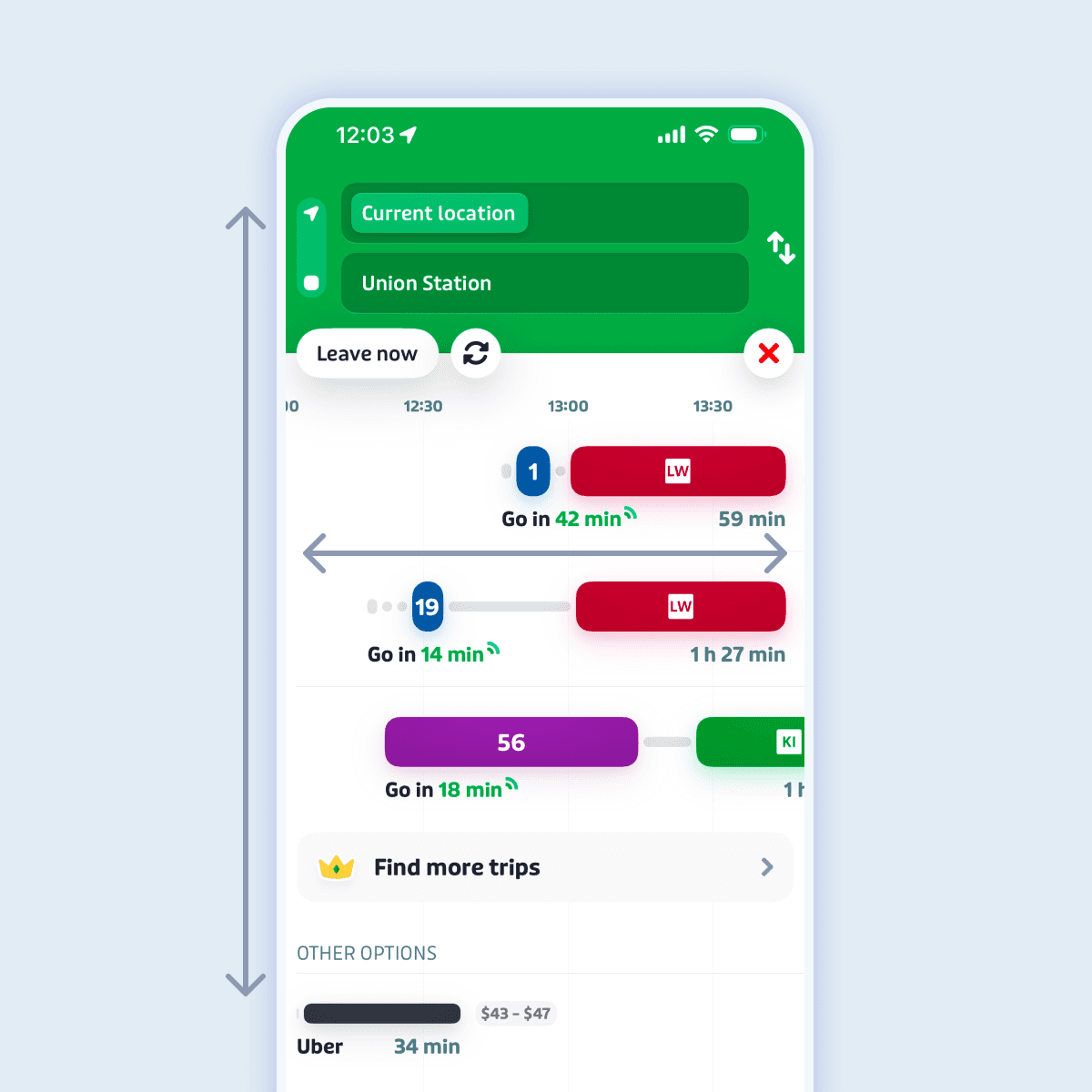
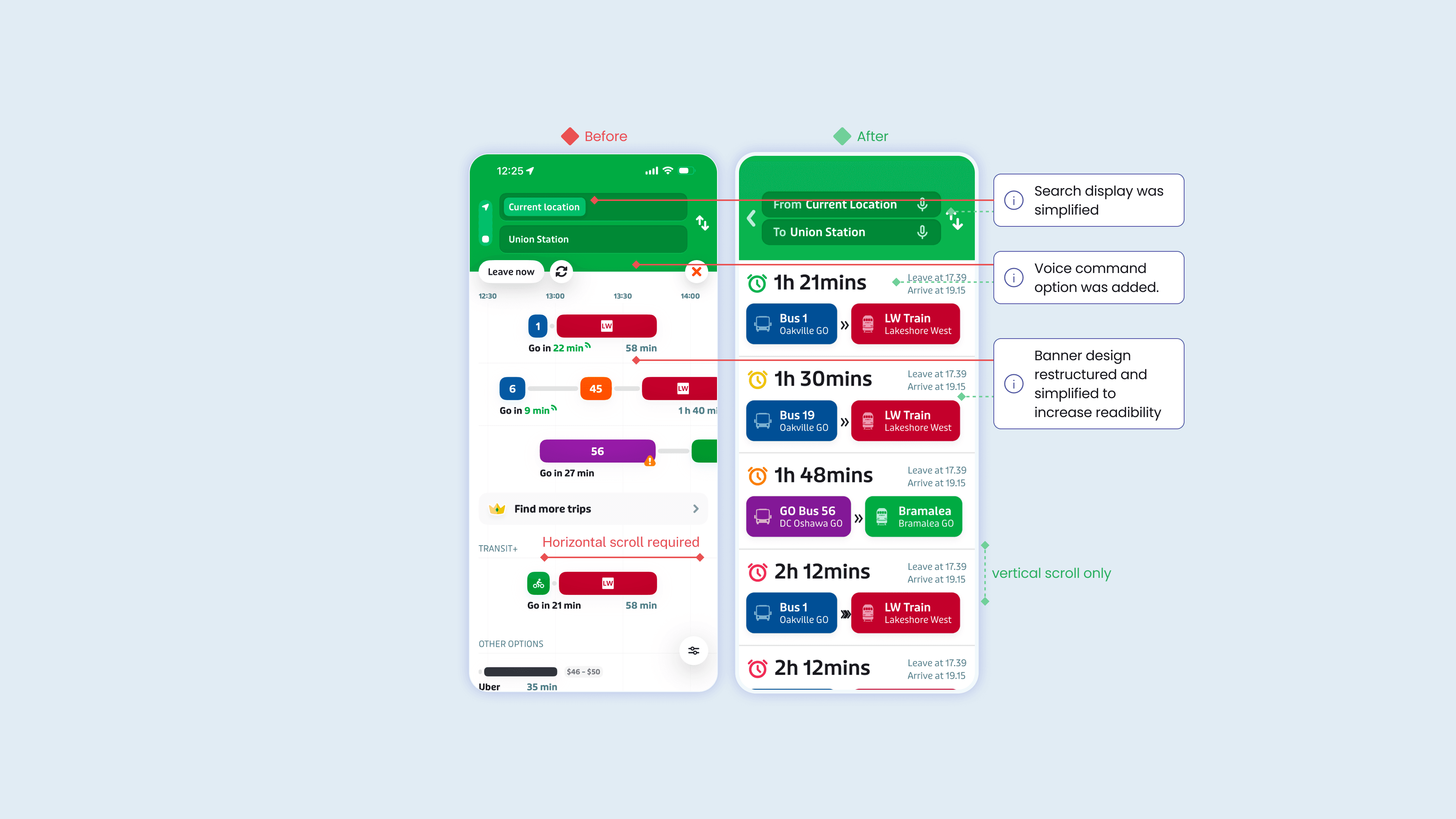
Horizontal scroll within vertical scroll page confused users
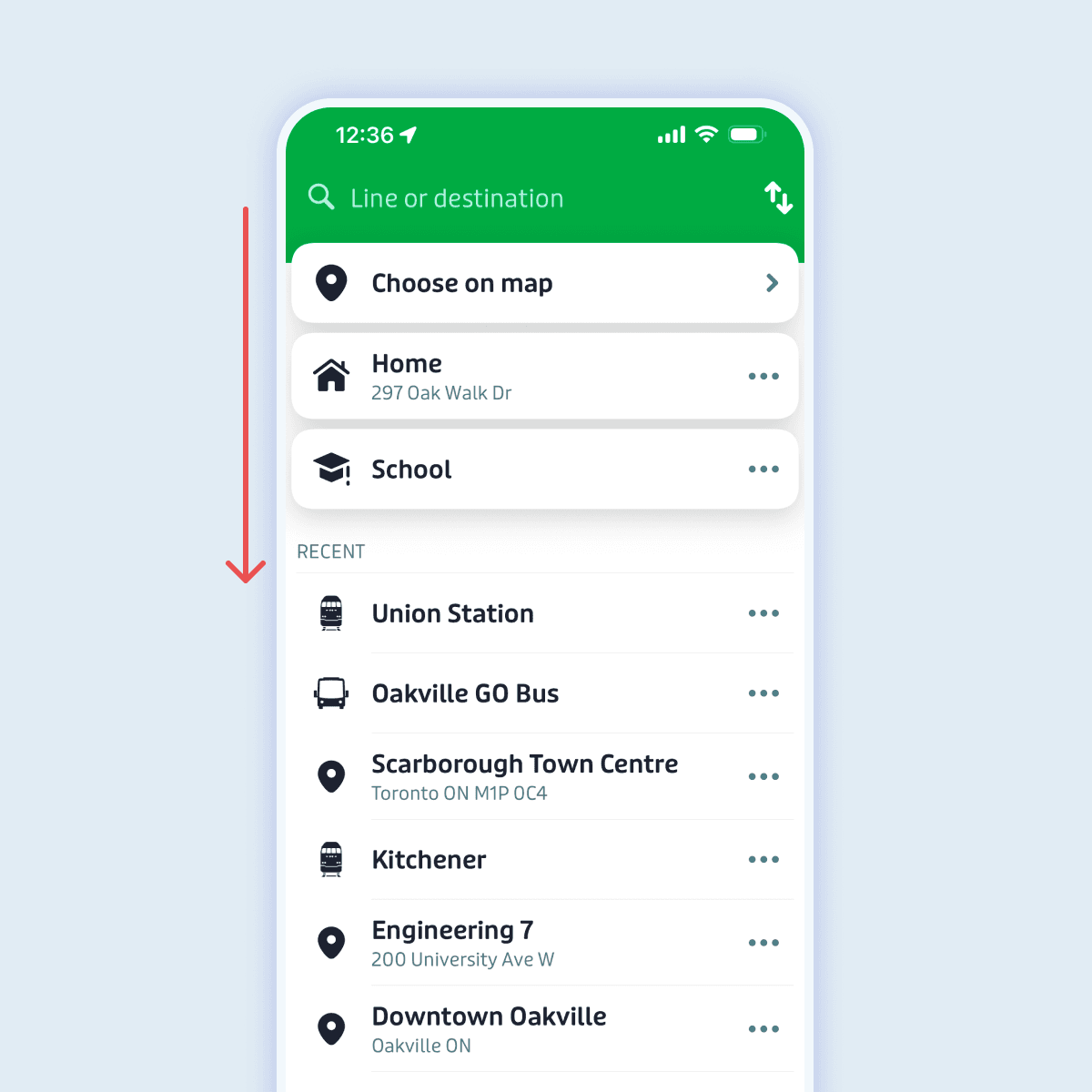
Gesture based exits caused accidental exits
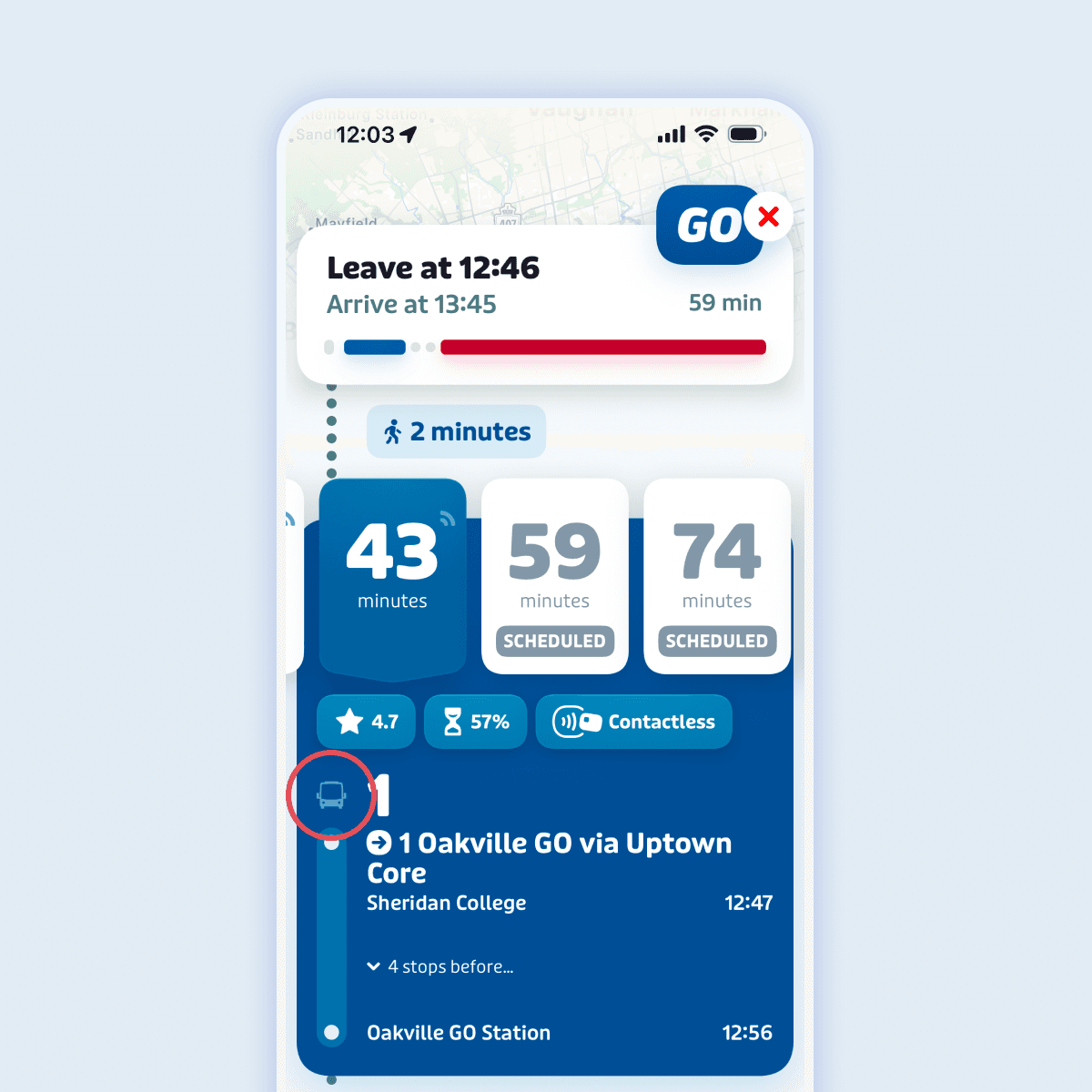
Smaller icons are difficult to identify
Formulating a research plan to better understand users mismatched interaction
A KWHL Table was constructed to understand personal bias and re-evaluate key research points moving forward with the project. Key feature being evaluated was how cognitive constraints could affect the user journey flow.
User insight
Users who are older/unfamiliar with public transport struggle to understand icons and symbols that the younger generation do.
Research questions
Which part of the interface is difficult to understand?
What information is the most important for the user to know?
Which information is unnecessary in a simplified version of the app?
UX Methods
Conducting usability testing
Researching different solutions for industry benchmarking
FINDINGS
Users with cognitive challenges struggle to navigate the app due to multiple gesture based interactions.
HOW MIGHT WE
Simplify the user interface of the transit app while retaining necessary information?
IDEATION
Implementing Moderated Usability Testing
Interviews were conducted to identify specific thoughts and opinions surrounding the usability and information architecture of the product. Participants were asked to simulate heavy cognitive load by holding items in their other hand and playing white noise in the background to increase their cognitive load.
Question
Information
Results
What do users immediately assume as the method of finding a route?
Where do participants navigate first?
Search bar, some users mistakenly deleted previous inputs by accidentally swiping down.
How do users decide which route they go on?
What information do users perceive as important?
Time, method of transportation, How to get to different places, What mode of transportation they’re going to take.
How do users identify buried information?
What gestures are intuitive to users and does this align with the app?
Scrolling down, Tapping different buttons was intuitive.
Swiping down to exit a screen or scrolling horizontally for different routes was less intuitive and took some time to discover.
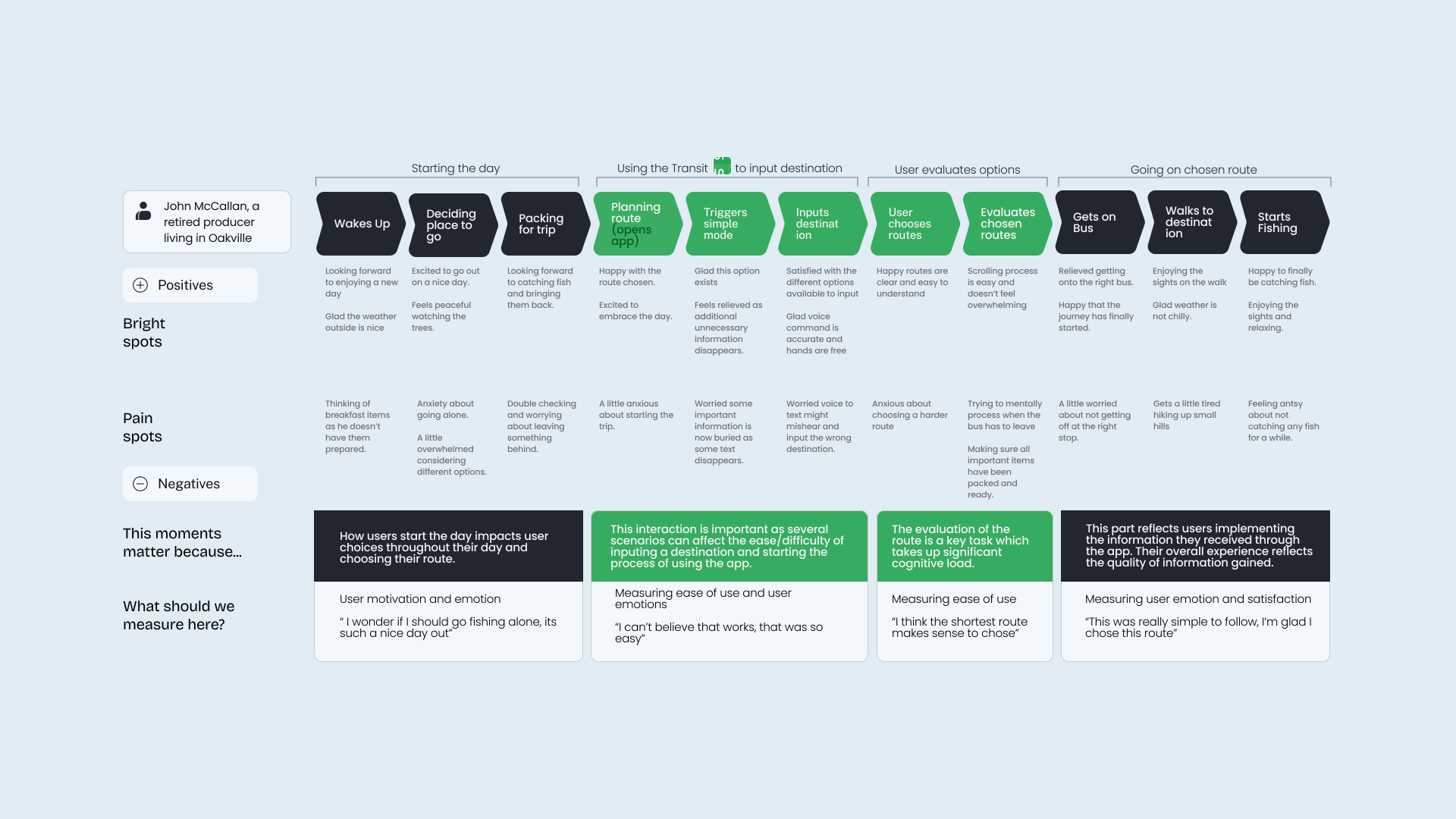
User Journey Map of combined user personas
Planning developmental requirements for final ProtoPie prototype
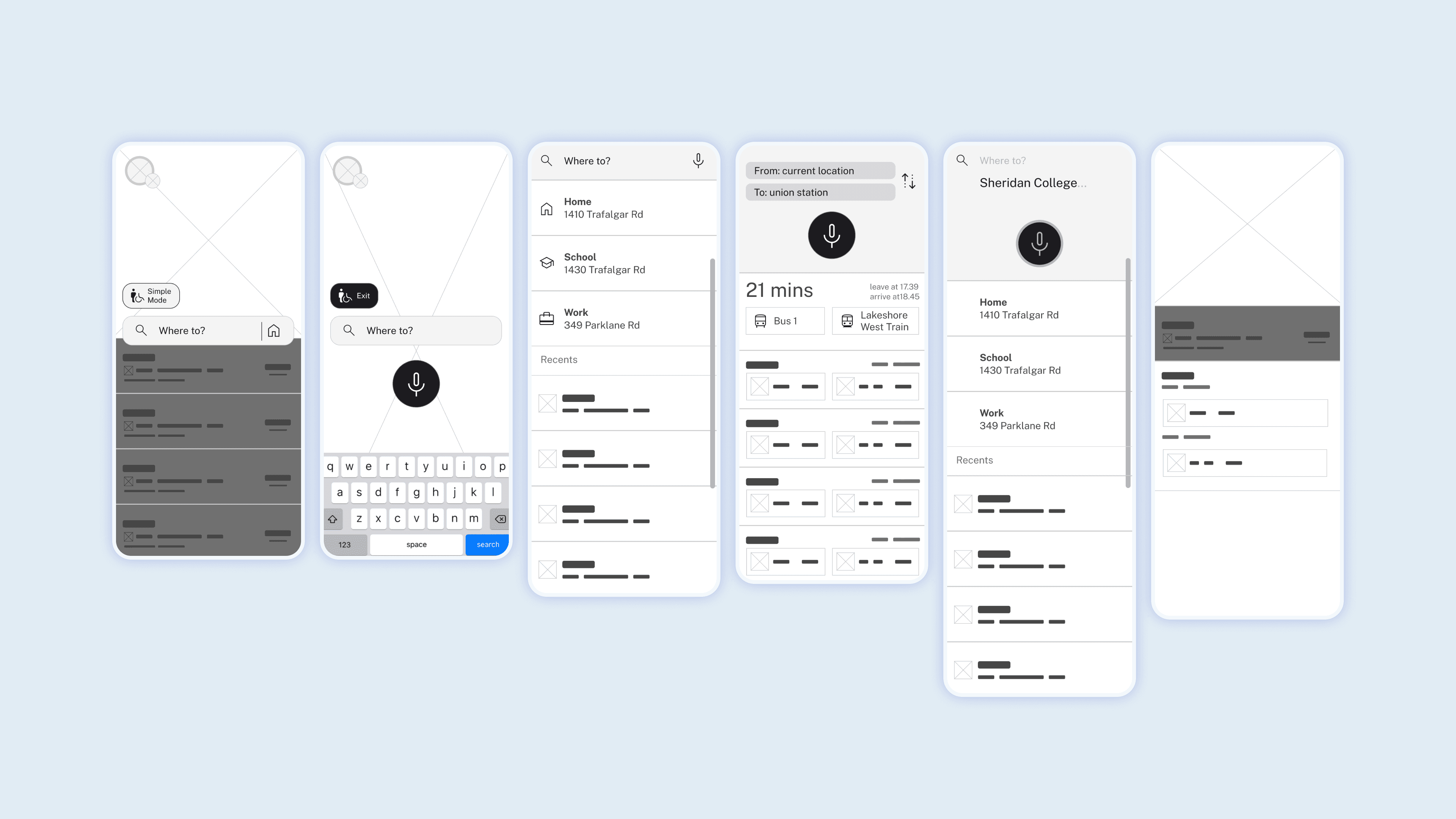
The solution being proposed consist of a simplified version of the current Transit app design that enlarges text, removes buttons within banners, and utilizes clearer instructions to reduce user cognitive load. General design was done in Figma utilizing frames, auto layout, and spacing which is later imported into ProtoPie.
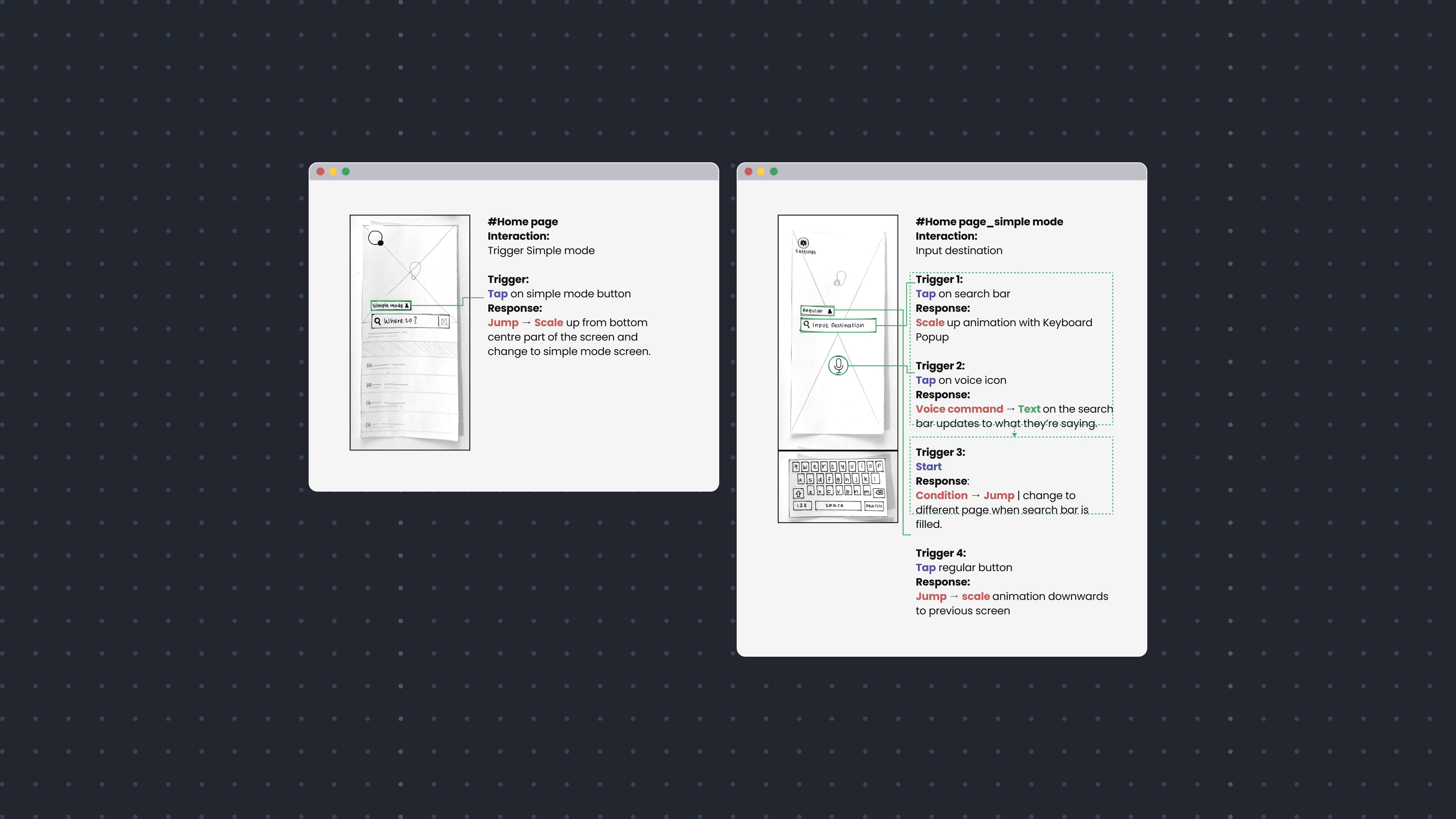
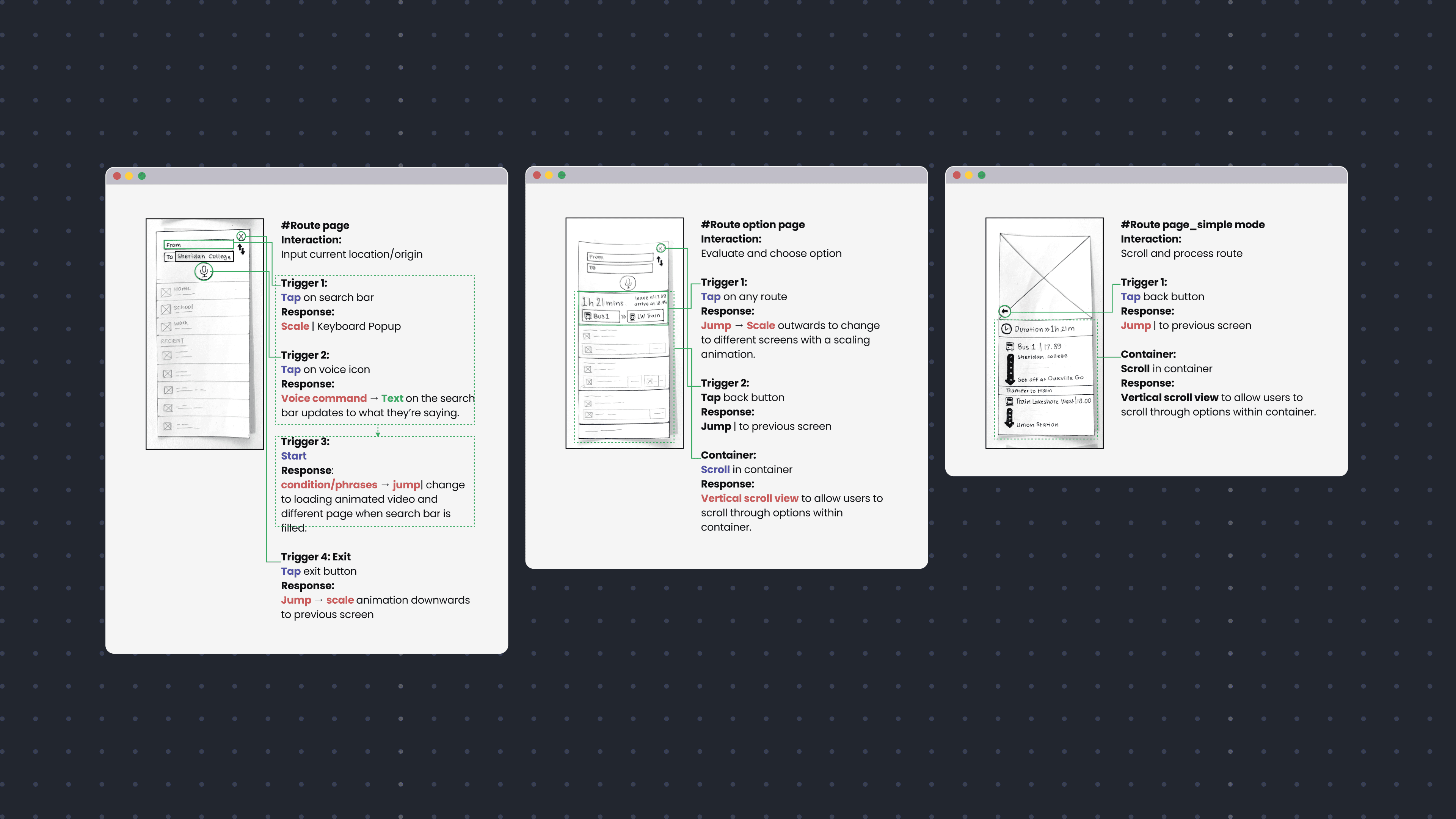
Creating new wireframes
Redesigning the Transit app with accessibility features to reduce user cognitive load while planning routes
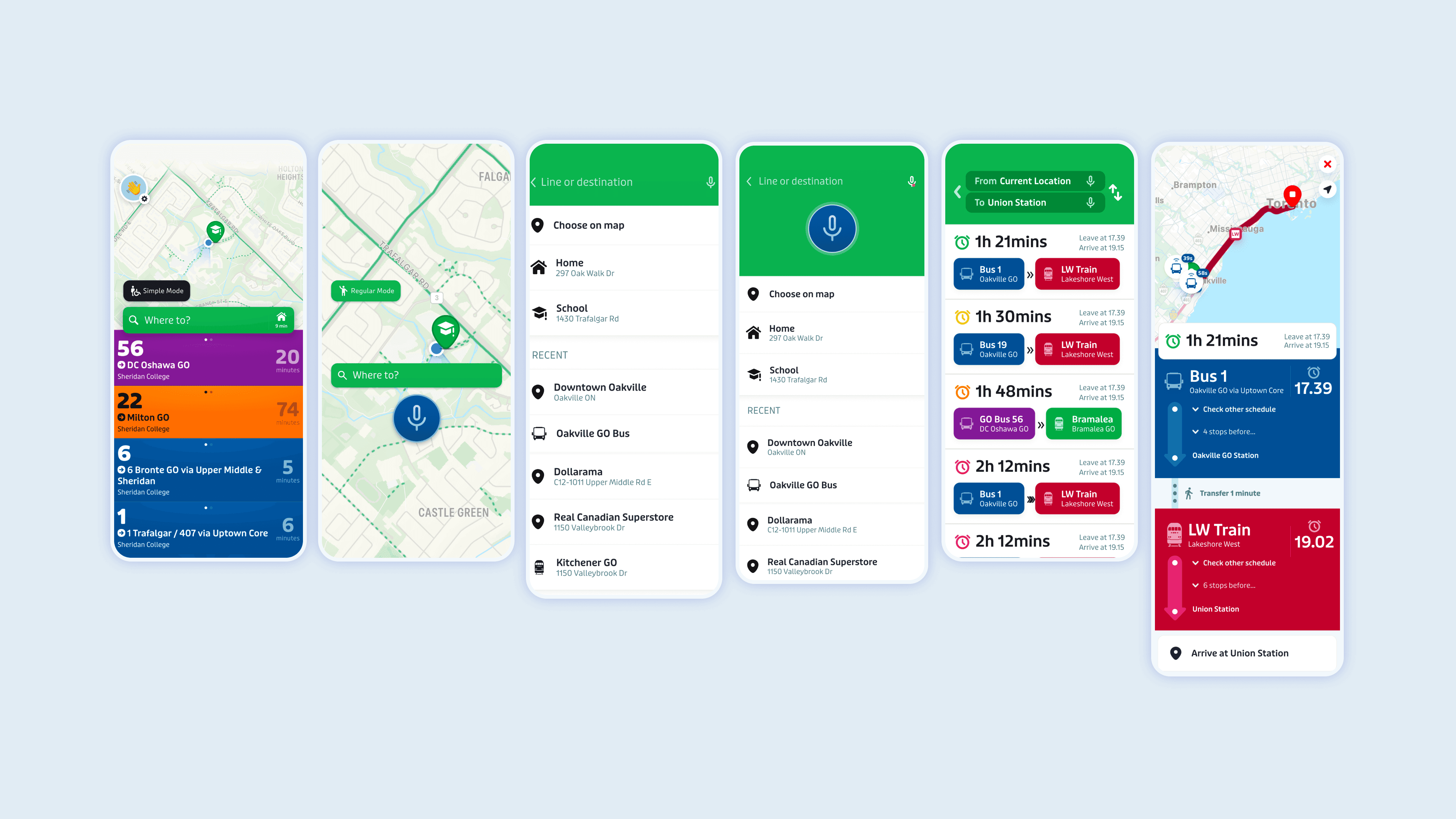
DECISIONS
Accessibility features added
The final solution addresses a mismatched interaction surrounding situations or permanent conditions that reduces user’s cognitive load. The challenge was addressed by creating a simplified version of the Transit interface and adding a voice command feature.
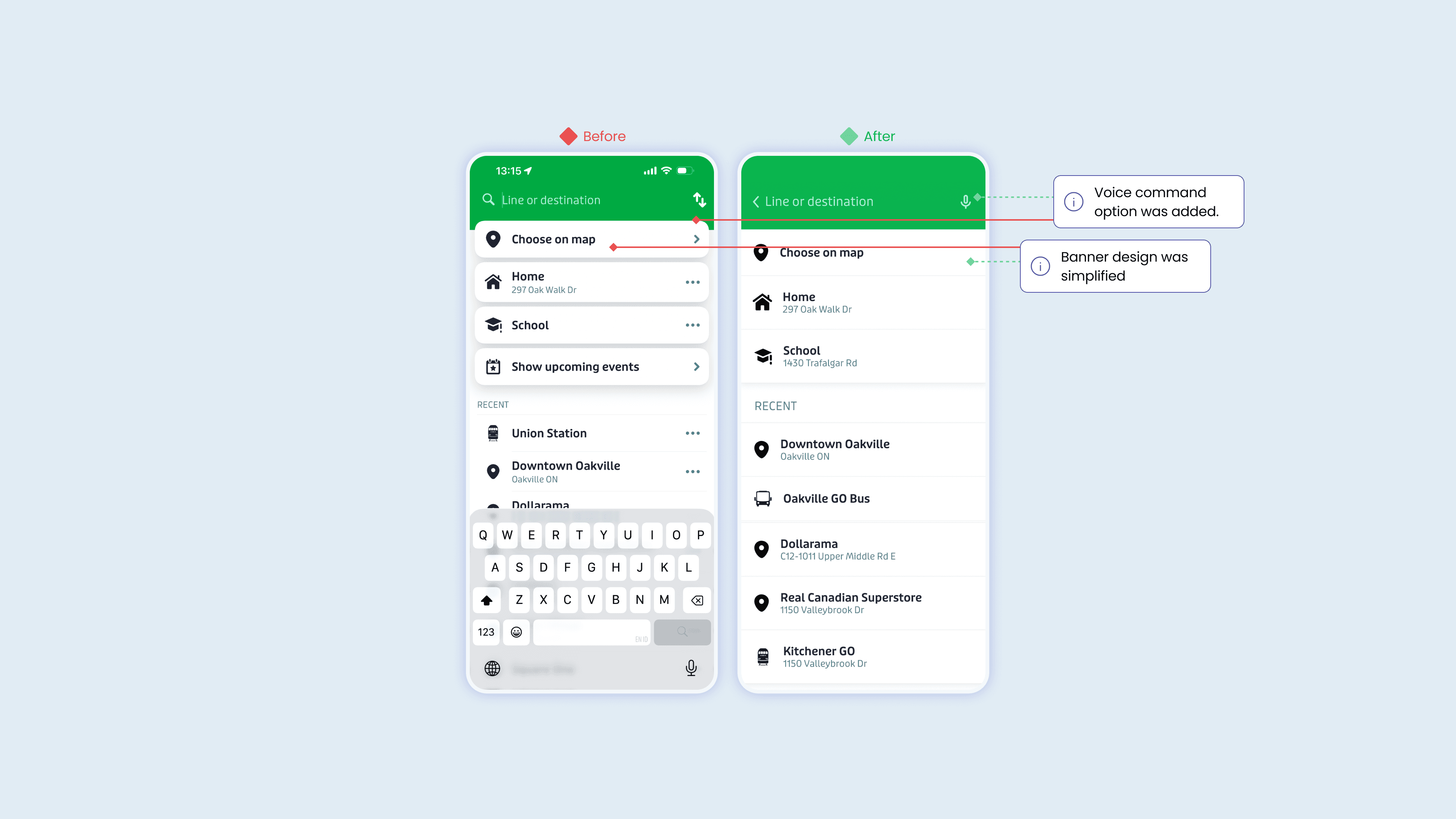
A simplified user interface to eliminate unnecessary cognitive load for older users
Banners were redesigned to eliminate necessary buttons. Initial user testing uncovered users didn’t understand their purpose and they often didn’t chose to tap on that specific section.
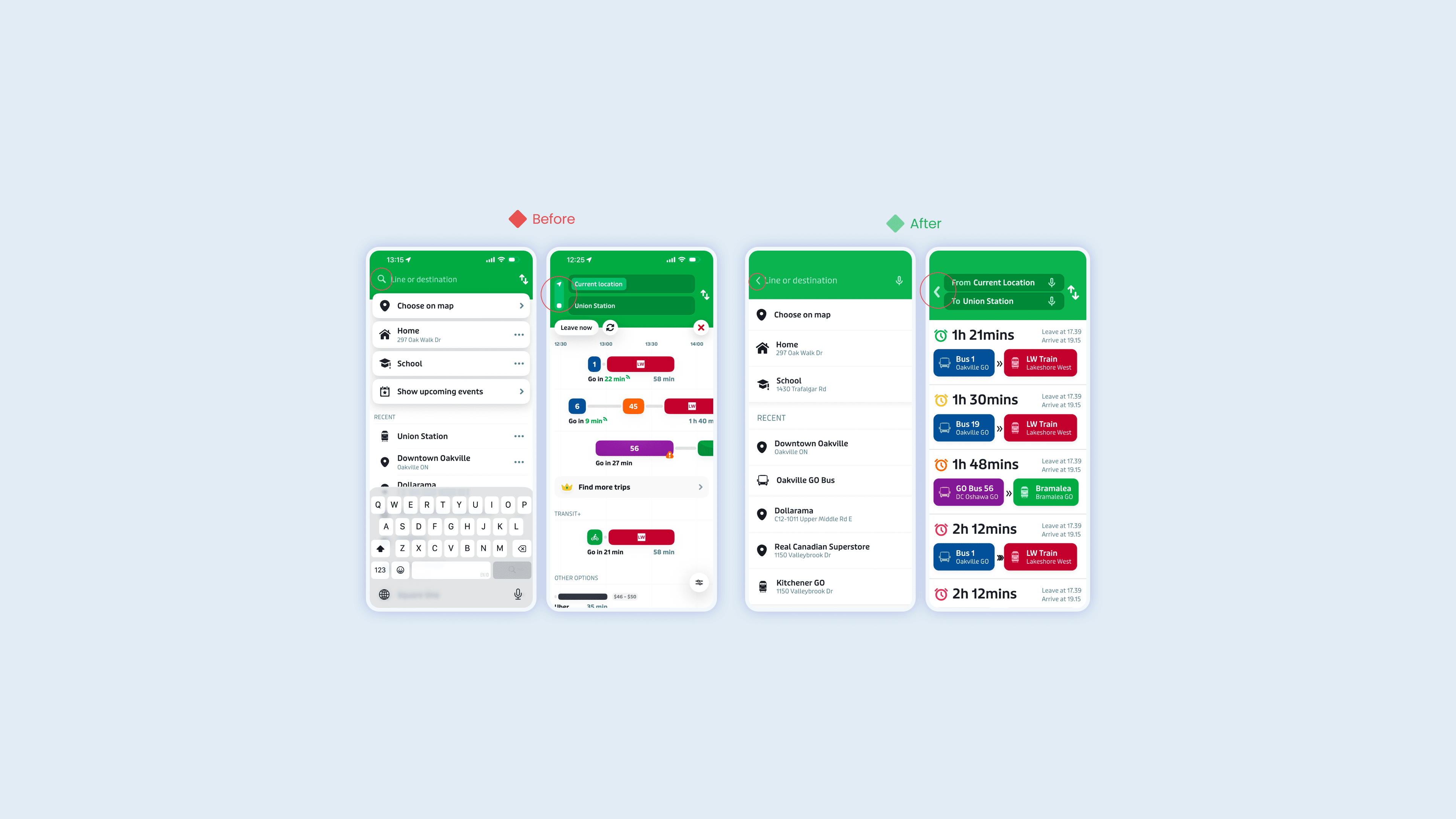
Reducing accidental user error when exiting a page
A mismatched interaction discovered during usability testing was how often users mistakenly dismissed the page they needed by scrolling down. The original mobile interface has no clear exit button, instead relying on gestures to speed up the process.
This created an unintended consequence that increased the number of times users needed to input their destination. Hence, the pages were redesigned with clear back buttons and the ability to exit with swiping down was disabled in the simple mode.
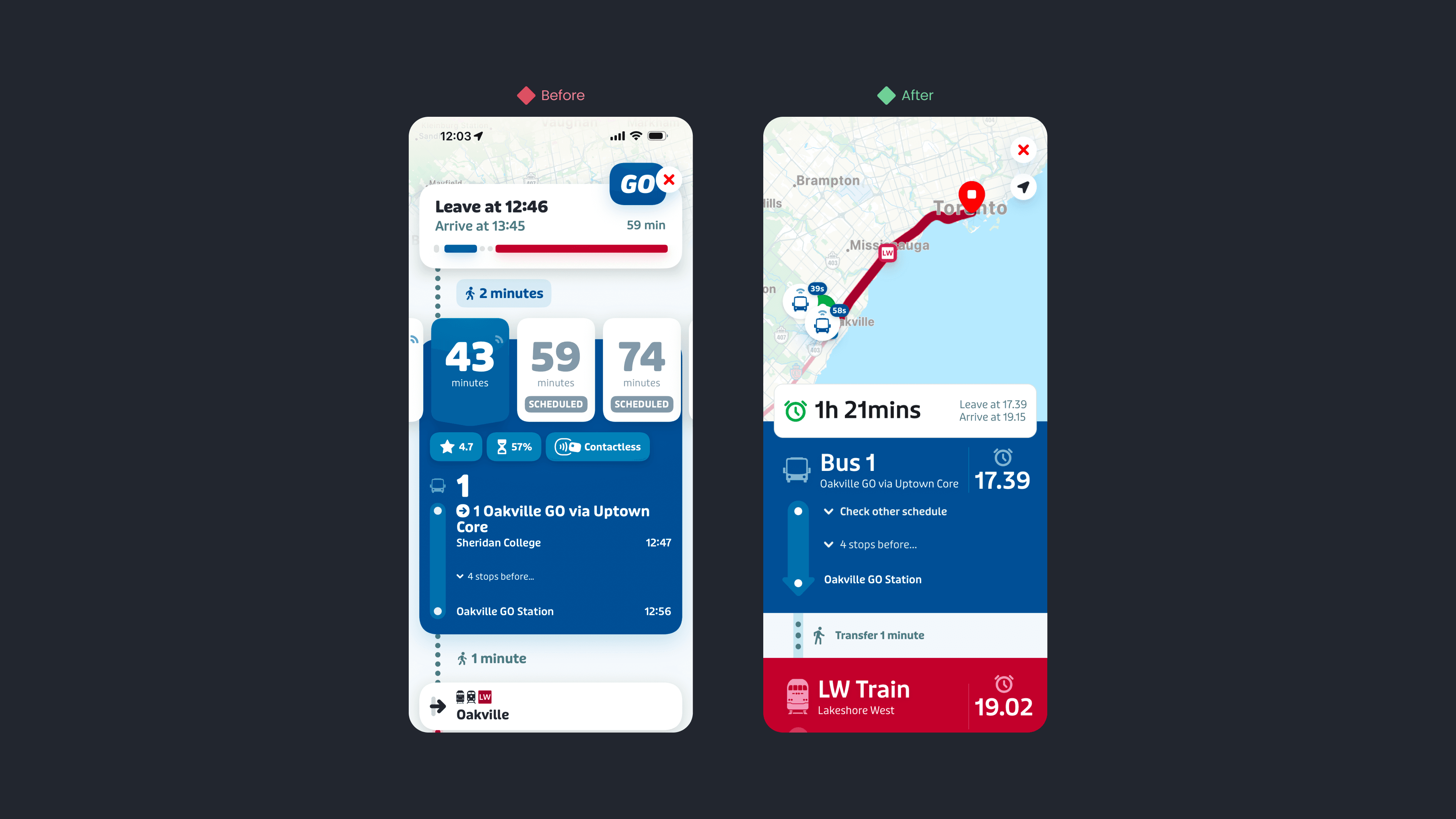
Restructuring complex pages by adjusting typography and implementing clear content hierarchy
Pages were restructured so users could find all the important information in 1 scrolling motion. In the original design, users had to scroll horizontally in addition to vertically to uncover the time taken for different routes. This creates an additional complication that often leave users frustrated.
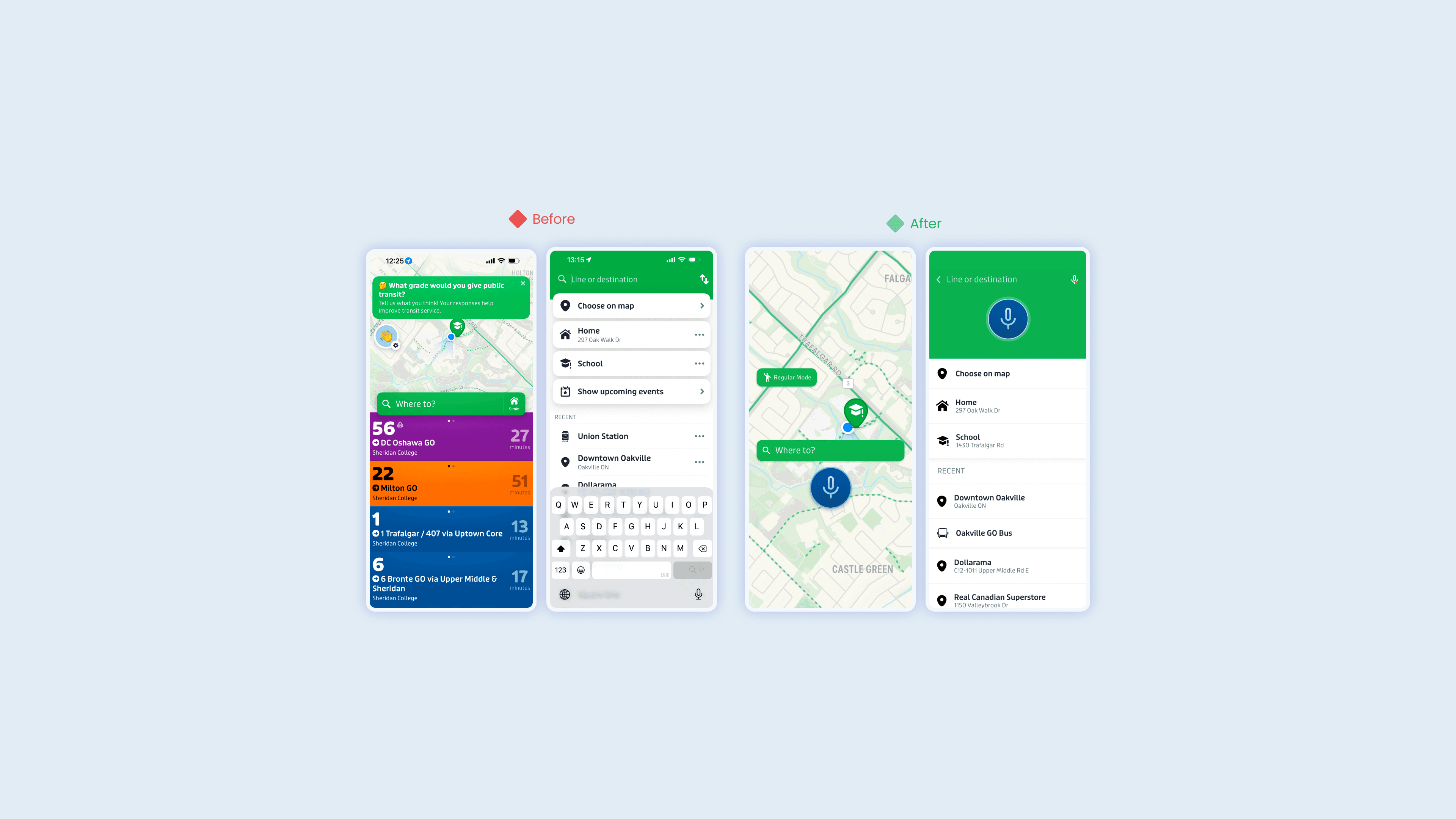
Adding voice command feature to help users experiencing cognitive challenges
An important accessibility feature was added, voice input. Usability testing revealed when users have reduced cognitive load because they’re multitasking they often don’t have the time or hands to type in the necessary input.
Voice command was added as an option in addition to a textbox that updates following the voice transcript of the user’s voice input for active feedback of system status.
OUTCOME
76% faster decision making times, 60% less mistakes
Post usability testing and interviews with participants revealed they could identify a route faster, answer post test questions more accurately, and made less user error compared to the original interface when an increased cognitive load is simulated. This highlights the benefits of accessible design suited for different situations users encounter on a daily basis.
REFLECTION
Reducing user cognitive mode: simple user input
This project revealed the importance of usability research to create a truly functional solution. In early stages, primary and secondary research was conducted to understand which design features overwhelm users. Despite the aesthetic and personalization purpose of these features, the increased complexity affect user’s ability to evaluate different routes and make an informed decision.
Reflecting on the final solution, beyond the adjustments to the user interface, an important accessibility feature was added, voice input. Usability testing revealed when users have reduced cognitive load because they’re multitasking they often don’t have the time or hands to type in the necessary input. Voice command was added as an option in addition to a textbox that updates following the voice transcript of the user’s voice input for active feedback of system status.
I learned the final iteration or deliverable can look impressive, work seamlessly, however if it doesn’t truly address the user’s need it creates an unpleasant experience that deters customers from using the product.
" transform="translate(4.353 1.982)" width="39.963302752293565px"/></svg>)